1. What's new in the September update: start here
For stores that used Giftnote before September 2026: the five things to check after the update, and a summary of what changed in each area.
Written By Giftnote Team
Last updated About 23 hours ago
What's new in the September update
If you used Giftnote before September 2026, this collection tells you what changed in our big September 2026 update and what, if anything, you need to do. Giftnote now runs as a normal app inside your Shopify admin, with no separate dashboard, and most of your setup carried over.
Want us to set it up for you? Email support@giftnote.com to request a complimentary onboarding. We aim to have you set up within 48 hours. Included on all paid plans.
You asked, we built it
Most of this update came straight from you. Over the past year you told us what was missing, in support chats, emails and calls. These are the requests we heard most often, and they're all live now.
Search that finds anything. Search gift cards and gift orders by code, email, phone, name or order number, and save the filters you use most as views. See Gift cards and store credit.
Gift cards in your customer's currency. With Shopify Markets, Giftnote issues each gift card in the currency the customer paid in. See Do Giftnote gift cards work with Shopify Markets?
Send the gift message when the order ships. On Fulfillment is a new delivery option alongside Send Now, Send Later and On Delivery. See Delivery Options: Send Now, Send Later, On Delivery, On Fulfillment.
Fix a gift after checkout. Edit the message, recipient or delivery option, change a gift card's expiry, or resend a notification, all from the order's own page. See Gift orders and messages.
Analytics on your terms. Pick any date range, down to the day, and see products, uplift and conversions in their own reports. See Analytics and conversions.
The order number in your Klaviyo events. Giftnote's events now carry the Shopify order number, so your flows can show it. See Integrations and notifications.
Bigger Multi Gift orders. Upload up to 1,000 recipients in one CSV, and Multi Gift tax now comes from your own Shopify tax settings.
Every Multi Gift order linked to its campaign. The main order and each recipient's order share a family-code tag, so your team, 3PL or ERP can group them.
Straight to checkout. Buyers go straight to payment. An order only waits for your approval when it matches a rule you set. See Multi-gift and your gifting storefronts.
Addressless gifting for Multi Gift (early access). Buyers add recipients with just a name and email. Each recipient claims their gift and enters their own shipping address. See Addressless gifting: let recipients add their own address.
Missing something you need? Email support@giftnote.com and tell us. Every request goes to our product team.
Check these five things
Saved filters and reports. Gift order status names changed. If you saved filters or reports that use the old names, update them. Understanding Your Analytics lists the new statuses.
Delivery tracking. The Settings → Carriers page is gone because Giftnote now detects carriers itself. On Delivery messages still need a carrier name and tracking number on each Shopify order.
Order attributes. If your theme, packing slips or 3PL read the
giftnote_*order attributes, check Also save as order attributes (legacy) is on in Settings → Gift Orders → Settings, under Orders. Add Checkout & Post-Purchase Extensions explains it.Multi Gift storefront forms. The old shop-wide order form is gone. Check the fields on each storefront's Form tab.
Klaviyo event names. Flows built on the old
Giftnote -metric names keep working. Move them to the new event names when you're ready: see Migrating your Klaviyo flows to the new Giftnote integration.
The full list, including changes that need no action, is in What's changed, retired, or needs your attention.
What changed, area by area
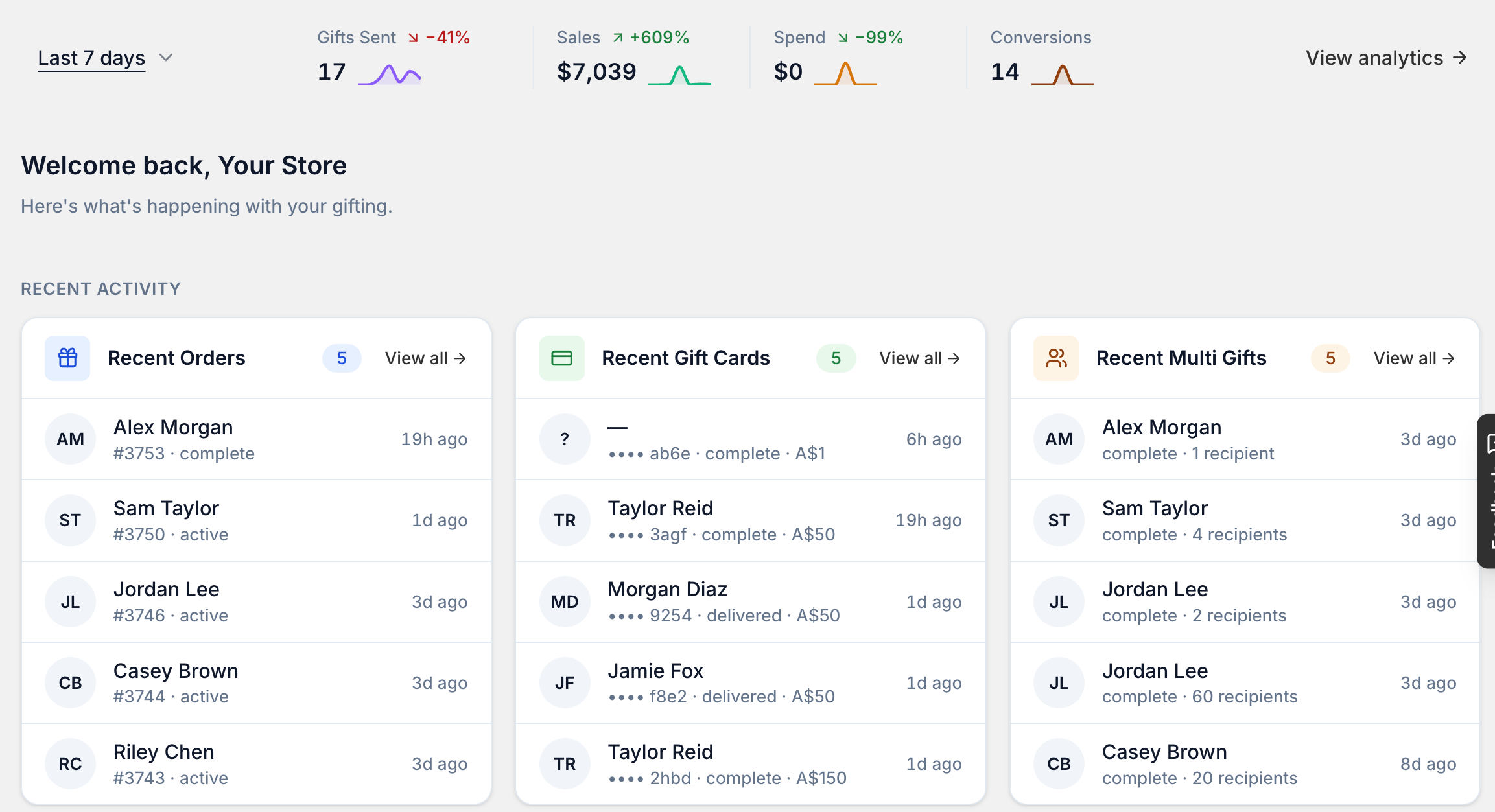
Your new home in Shopify admin: Giftnote's pages now sit in Shopify's own sidebar, with a Home page and a Setup guide.
Gift orders and messages: orders sync with Shopify as they change, Send Now messages wait 15 minutes so you can fix mistakes, and you can edit, resend or reprocess a gift order.
Gift cards and store credit: search cards by code, email, phone, name or order number, and a card only sends once its code is confirmed.
Multi-gift and your gifting storefronts: up to 1,000 recipients per upload, tax from your Shopify settings, up to three storefronts and custom domains.
Integrations and notifications: choose and rename the events each tool receives, and test them from the app.
Analytics and conversions: eight reports, including cohorts, uplift and products, that load straight away.
Settings, plans and what you can configure: a table of where each old setting moved.
Early access features: new features you can ask us to switch on before they launch.
Related articles
Still need help? Share an idea