1. What to expect when we set up Multi Gift for you
How our complimentary Multi Gift onboarding works: the five stages from install to launch, what we build for you, what to send us, and the decisions we make together on the call.
Written By Giftnote Team
Last updated About 23 hours ago
On a paid plan, we set up your Multi Gift storefront for you. You'll spend less than an hour of your own time getting it live. If you haven't set up gift messages or gift cards on your main store yet, we cover that in the same session.
Ready to start? Book your demo call at calendly.com/giftnote or email support@giftnote.com. We aim to have you set up within 48 hours.
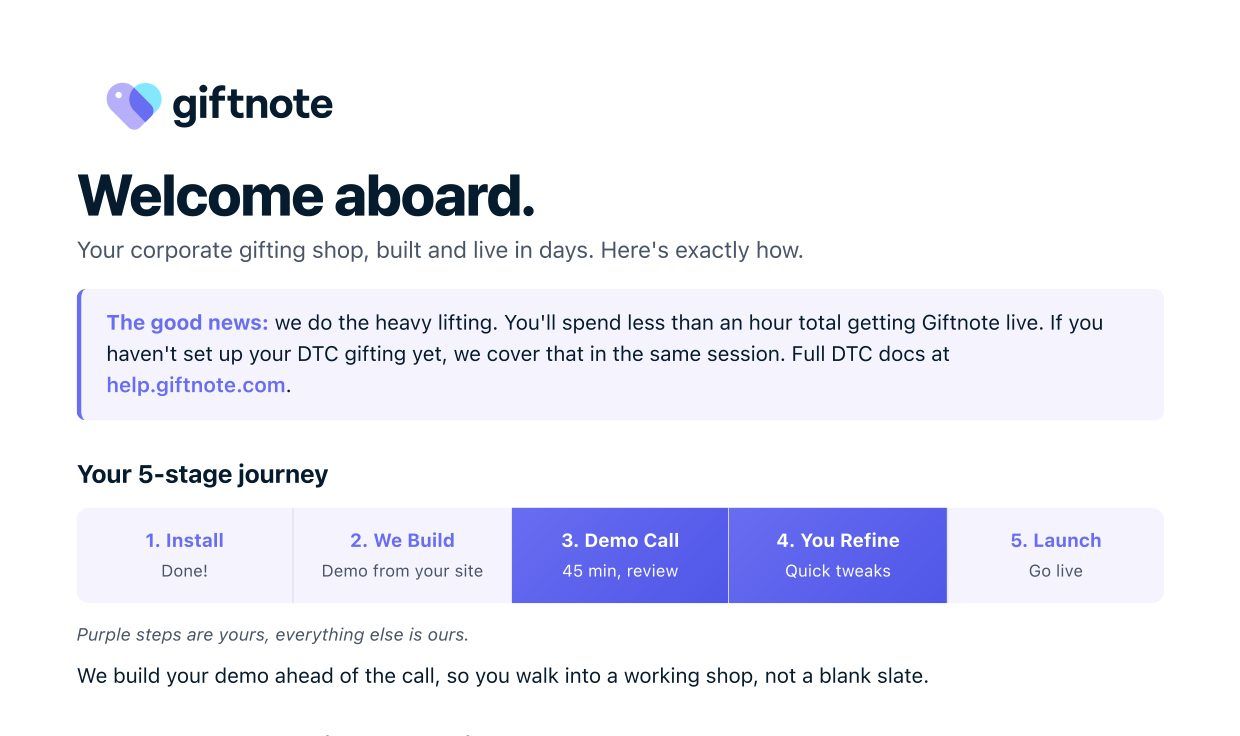
The five stages
- Install. You install Giftnote from the Shopify App Store. Done.
- We build. Before the call, we build a working demo storefront from your site.
- Demo call (yours, 45 minutes). We walk you through the demo and make decisions together.
- You refine (yours). Quick tweaks to wording, products or branding.
- Launch. Your storefront goes live.
Because we build the demo ahead of the call, you walk into a working storefront, not a blank one.
What we handle for you
- Brand design: logo, colours and fonts taken from your site. You can change them afterwards.
- Copy and voice: storefront wording written in your existing brand language.
- Shipping: uses your Shopify shipping rates by default.
What to send us before the call
All optional. The more you send, the more polished your demo will be.
- A gifting collection: 6 to 12 gift-ready products in a
Corporate Giftscollection. - Shipping rules: your free shipping threshold, lead time, and any zones you don't ship to.
- Your strategy: who you'll gift to, why, when, and your budget. See Plan your corporate gifting strategy.
- Anything custom: a subdomain, custom order tags, branded notecards or reporting needs.
Decisions for the call
How will buyers find Multi Gift?
This shapes the rest of your setup. Most merchants choose both.
- Corporate only: a dedicated landing page on your Shopify site that sells your corporate program. Best if Multi Gift is only for business buyers. See Build a corporate gifting landing page.
- Retail customers sending to many people: a Send to many recipients button on product and cart pages, for shoppers who want to send the same product to several addresses.
- Both: the landing page and the button, so you catch corporate buyers and retail customers in one setup.
Three quick follow-ups
- Gift messages and gift cards on your main store too? Giftnote also powers one-to-one gifting. Say yes and we set up both, or add it later.
- Giftnote emails or Klaviyo? By default, Giftnote sends the emails and we write them with you on the call. If you use Klaviyo, give manager access to nick@giftnote.com and we'll copy your flows.
- Gifting options and upsells? Gift box upgrades, physical gift cards, custom logo printing or premium packaging. We can add any of these to the buyer's order flow.
What buyers see
Buyers go through three steps: pick gifts, add recipients, then review and pay. They can add up to 1,000 recipients by hand or with a CSV file. Each recipient gets their own gift, shipped to them, with a personalised heads-up email so nobody is surprised by a parcel at the office.
How orders appear in Shopify
Each checkout creates two kinds of Shopify order:
- One main (parent) order: the buyer's invoice. This is where payment is taken.
- One recipient (child) order per recipient: each with its own shipping address, gift and tracking.
So a buyer sending to 50 people creates 1 main order and 50 recipient orders, all linked. Giftnote tags them so your finance team can reconcile the main order and your fulfilment team can ship the recipient orders. See Updating Shopify Reporting for Multi Gift.
Because these are standard Shopify orders, your existing reports keep working. On the call we place a test order together and check how it lands in your reports. If a filter or saved view needs adjusting, we help with that there and then.
After launch
- Week 1: place a test order and watch your first paying buyer come through.
- Month 1: a 30-minute check-in to review how buyers are using it and make any tweaks.
- Ongoing: seasonal product swaps, growth reviews and new products.
Prefer to set it up yourself? Follow Set up Multi Gift.
Related articles
Still need help? Share an idea